The One Login Setting That Stops Most Account Takeovers
Post Author:
Bryan Nash
Categories:
Date Posted:
October 12, 2026
Share This:
Most business account break-ins don’t start with clever hacking. They start with a password someone reused, guessed, or typed into a fake login page. Multi-factor authentication is the one login setting that stops most of those account takeovers, because a stolen password on its own is no longer enough to get in.
The short answer: turn on multi-factor authentication (a second sign-in step, like a code or a tap on your phone) for your email first, then your banking, payroll, and remote access. According to the Cybersecurity and Infrastructure Security Agency (CISA), using MFA makes you 99% less likely to get hacked. October is Cybersecurity Awareness Month, which makes this a good week to check where you stand.
What is multi-factor authentication?
Multi-factor authentication means your login asks for two different kinds of proof instead of one. The first is something you know, your password. The second is something you have, usually your phone, or something you are, like a fingerprint. If a criminal gets your password, they still can’t sign in without that second piece, and that piece stays in your pocket.
You probably already use it. When your bank texts you a code before showing your balance, that’s multi-factor authentication at work.
Why aren’t strong passwords enough anymore?
Strong passwords still matter, but they can’t protect you once they’ve been stolen. Passwords leak in data breaches at other websites, get captured by convincing fake login pages, and get reused across accounts. When one leaks, automated tools try it on other sites within hours. A second sign-in step breaks that chain: the password works, but the login still fails. That’s why CISA’s More Than a Password campaign encourages every organization to add MFA.
Which accounts should you protect first?
Start with email, because your email account is the master key to everything else. Anyone who controls your inbox can reset passwords on your other accounts, read your invoices, and send convincing messages to your customers. After email, work down this list:
- Banking and payment portals
- Payroll and HR systems
- Accounting software such as QuickBooks Online
- Remote access to office computers and shared files
- Any admin account that can change settings for the whole team
Which second step should your team use?
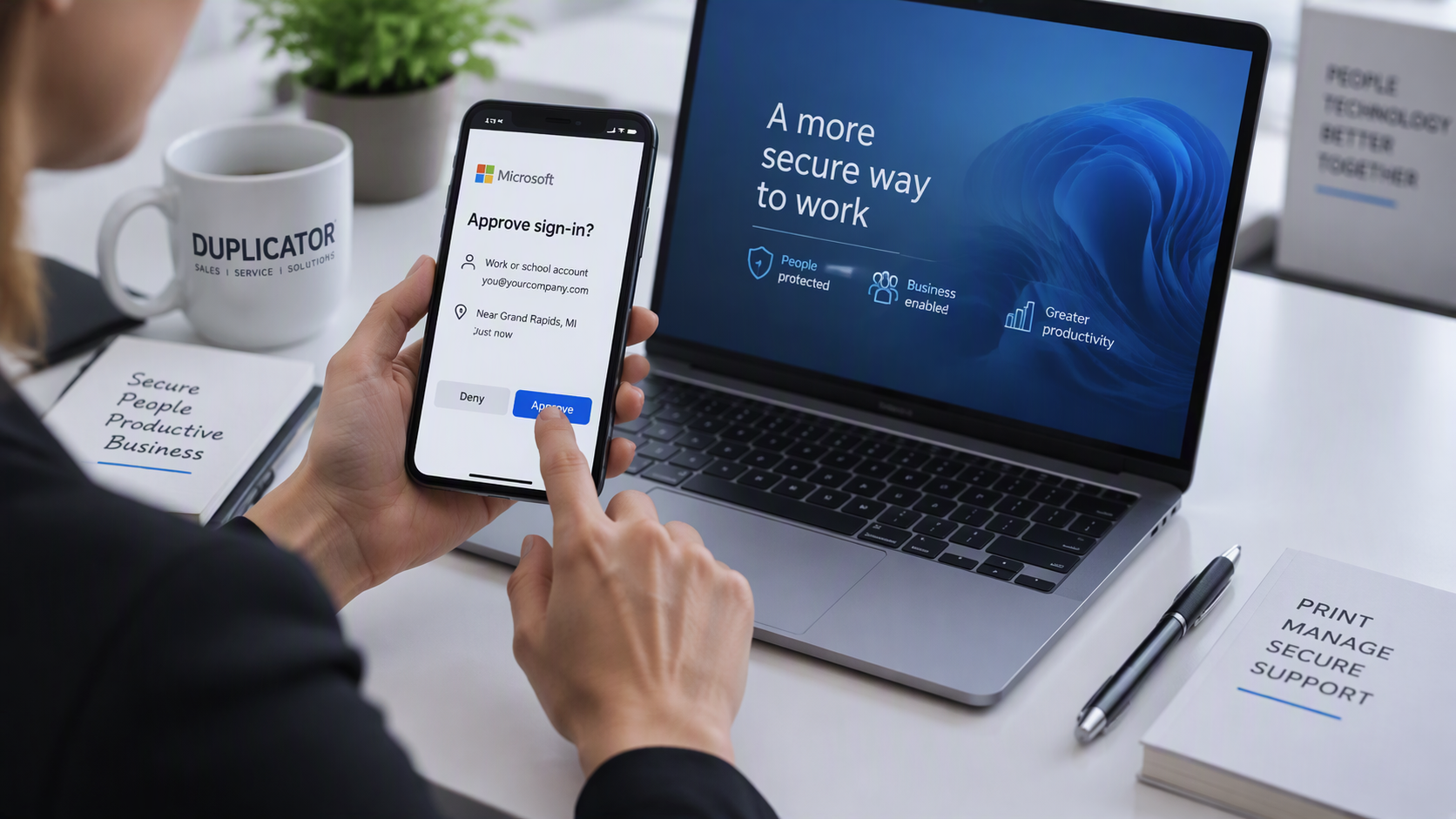
An authenticator app or a physical security key is the strongest everyday choice, and a text message code is far better than nothing. Authenticator apps show a short code or a tap-to-approve prompt on your phone. Security keys are small devices that plug into or tap against a laptop, and they are very hard to fool with a fake login page. Text message codes work on any phone, but in rare cases a criminal can talk a phone carrier into moving your number to a new SIM card and receive your codes.
Teach everyone one habit: if a login approval pops up when you didn’t just sign in, deny it and tell someone. Criminals who already have a password sometimes send prompt after prompt, hoping a busy employee taps “approve.” Short, regular security awareness training keeps that habit fresh.
How do you roll it out without slowing everyone down?
Roll multi-factor authentication out in stages, and give everyone a backup sign-in method before you make it required. A simple plan looks like this:
- Turn it on first for owners, managers, and anyone with admin access.
- Have each person register a backup method, such as a second phone number or printed recovery codes.
- Use “remember this device” settings where offered, so trusted office computers don’t prompt every day.
- Expand to the full team and set a date when MFA becomes required.
- Write down who to call when someone gets a new phone.
If you’d rather have someone handle that plan for you, managed IT support can set it up and keep it maintained as people join and leave.
We’ll be straight with you: MFA adds a few seconds to some logins, and sooner or later someone will replace a phone and get locked out until an administrator resets their sign-in. It also isn’t a force field. Sophisticated fake login pages can sometimes capture a code in real time, which is why security keys and staff awareness still matter. Those trade-offs are small next to cleaning up a hijacked email account, and good setup keeps the friction low.
Duplicator Sales & Service has helped businesses across Kentucky and Southern Indiana since 1959, and our Louisville team can walk your office through a multi-factor authentication rollout one account at a time. When you’re ready, request a quote for managed IT and security support and you’ll get a plain-English plan.
Frequently Asked Questions
Does a small business really need multi-factor authentication?
Yes. Small businesses are frequent targets because their accounts often have fewer protections. CISA says multi-factor authentication makes you 99% less likely to get hacked, and most email, banking, and payroll platforms include it at no extra cost.
Is a text message code good enough for two-step login?
A text message code is much safer than a password alone, so use it if it's the only option. An authenticator app or a physical security key is stronger, because text codes can occasionally be redirected if a criminal takes over your phone number.
Which business accounts should get MFA first?
Start with email, since anyone who controls your inbox can reset your other passwords. Then add banking and payment portals, payroll, accounting software such as QuickBooks Online, remote access, and any admin account that controls settings for the whole team.
What happens if an employee loses their phone with MFA turned on?
They can sign in with a backup method if one was registered, such as recovery codes or a second phone number. If not, an administrator can reset their sign-in method after confirming who they are. Setting up backups on day one prevents most lockouts.
Does Duplicator Sales & Service help set it up?
Yes. Duplicator Sales & Service has supported businesses across Kentucky and Southern Indiana since 1959, and our managed IT team helps you choose the right sign-in method, turn on multi-factor authentication across email and key business accounts, and set up backup options so nobody gets locked out. Request a quote to see whether managed IT and MFA fit how your team works.